Virtual Try-On for Shirts and Blouses: A Store Owner Guide
Quick answer
A shirt is a simple garment that causes complicated returns. Sleeves, collar, shoulders and length all have to agree, and a shopper can only judge one of them from a flat product photo.
Does virtual try-on work for shirts and blouses?
It works well for the visual questions: does this colour suit me, how long is the hem on my frame, is the collar the shape I expected. It handles those because the shopper sees the shirt on their own photo, not on a model with a different build.
It does not replace the tape measure. If your blouse runs a size small, the preview shows the style, and your size chart still has to say so.
What does it show well on a shirt?
- Hem length against the shopper's torso, tucked or untucked.
- Sleeve length and cuff position, including rolled looks.
- Collar shape and how far the neckline opens.
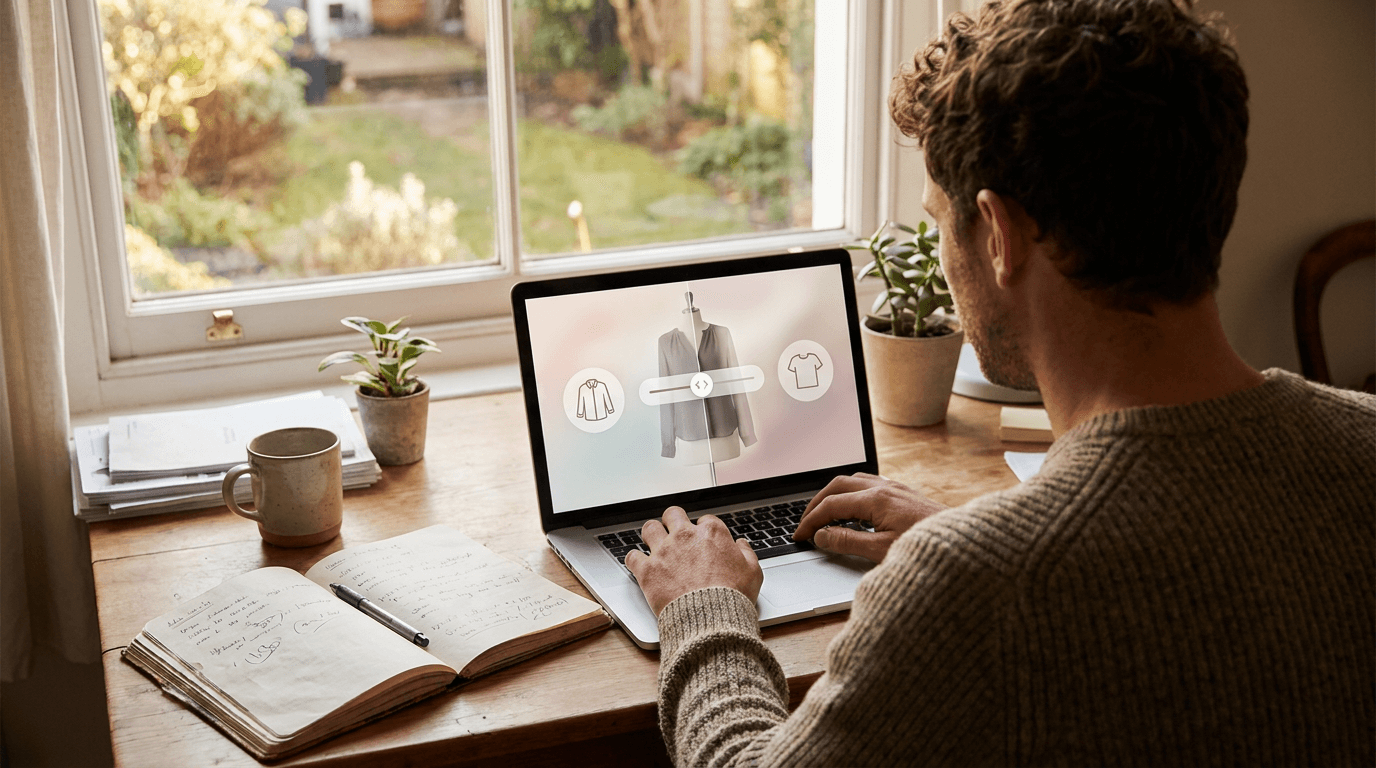
- Open or closed fronts: Corlen lets a shopper view a button-up buttoned or hanging open, which matters for layering over a tee.
- Colour and pattern on their own complexion and surroundings.
The open or closed view is useful because a shirt is sold two ways in real life. Some customers button it to the top, others wear it like a light jacket, and a flat photo only shows one of them.
What can it not tell a shopper?
A preview cannot say whether the shoulder seam will pinch, or whether the fabric will gape at the chest when the shopper sits down. Those are fit questions, and a photo is a flat answer to a moving problem.
- Real fabric stretch, weight and breathability.
- Exact shoulder, chest and arm tolerance.
- How a sheer blouse looks under different lighting or underlayers.
Be upfront about this on the product page. A shopper who knows it is a preview is a shopper who does not feel tricked by it, and that is cheaper than a return. Our post on whether virtual try-on is accurate goes through what drives the result.
How should you photograph shirts and blouses?
- Lay the shirt flat or use a ghost mannequin, whole garment in frame.
- Use even light and a plain background, with no props across the sleeves.
- Smooth out wrinkles; a creased front makes the model guess at the shape.
- Show the sleeves in full, not folded behind the body.
- Keep a separate photo for the open version if you sell a button-up as a layer.
Nobody has ever complained that a product photo was too ironed. The full checklist is in our guide to photographing clothing for virtual try-on.
How do you test it on your catalog?
Pick your five most returned shirts and blouses and run each through the live demo on a few different photos. Look for sleeves that end in the right place, collars that keep their shape and prints that stay readable.
If it passes, add it to a handful of products and compare returns and conversion against a similar earlier period. The steps are in how to measure virtual try-on results. On Shopify, Corlen adds a block in the theme editor, and you can read the plans in the Shopify app overview.
When you are ready to see your own pieces rendered, try Corlen on your own photo.
Frequently asked questions
Does virtual try-on work for shirts and blouses?
Yes, for style and drape. It shows how the collar, sleeves and hem sit on a shopper's own photo. It is a visual preview, not a measurement, so it should sit next to a size chart rather than replace one.
Can virtual try-on show a shirt worn open or buttoned?
Corlen supports an open or closed choice for shirts, so a shopper can see a button-up worn fully buttoned or hanging open over what they are wearing. Check how your own best sellers render in the demo first.
Which shirt photos work best?
A flat, well lit, whole garment shot on a plain background. Wrinkles, props and cropped sleeves confuse the result, and a hanger photo with the sleeves hidden gives the model less to work from.
Will virtual try-on cut shirt returns?
It can help shoppers judge style and proportion before buying, but results vary by store. Measure your own returns against a baseline instead of relying on vendor figures.
Ready to add real try-on to your store?
Install Corlen on Shopify in minutes, or build it into your own platform with the developer API.
Similar posts
Virtual Try-On for Webflow Ecommerce Stores
Running a clothing store on Webflow Ecommerce? See how a try-on button fits through custom code, why the API key needs a server, and what to test first.
Read articleGuidesVirtual Try-On for Magento and Adobe Commerce Stores
Running a clothing store on Magento or Adobe Commerce? See how a try-on API fits into a custom module, what a developer builds, and what to test first.
Read articleGuidesVirtual Try-On for Lingerie and Intimates Stores: What Works
Running a lingerie or intimates store? Photo try-on is the wrong tool for bras and briefs, but it can sell your loungewear and robes. Here is the honest split.
Read articleSee it on your own photo
Corlen shows your customers how any garment looks on their own body, in seconds. Try it free, no account needed.
Try Corlen free